
In the world of *Overwatch 2*, your in-game name isn't just a label—it's your digital persona, a reflection of your gaming style, personality, and perhaps your sense of humor. As trends evolve and personal tastes change, you might find yourself wanting to update your moniker. Fortunately, Blizzard offers a straightforward way to change your name, depending on your gaming platform. This comprehensive guide will walk you through the process of updating your BattleTag or in-game name on PC, Xbox, and PlayStation, along with important considerations and potential fees.
Can You Change Your Name in Overwatch 2?
Yes, you can change your name in Overwatch 2, and the process varies slightly based on whether you play on PC, Xbox, or PlayStation. Whether you're looking to refresh your identity or simply correct a typo, follow our guide to ensure a smooth transition to your new gaming identity.
How to Change Your Name in Overwatch 2
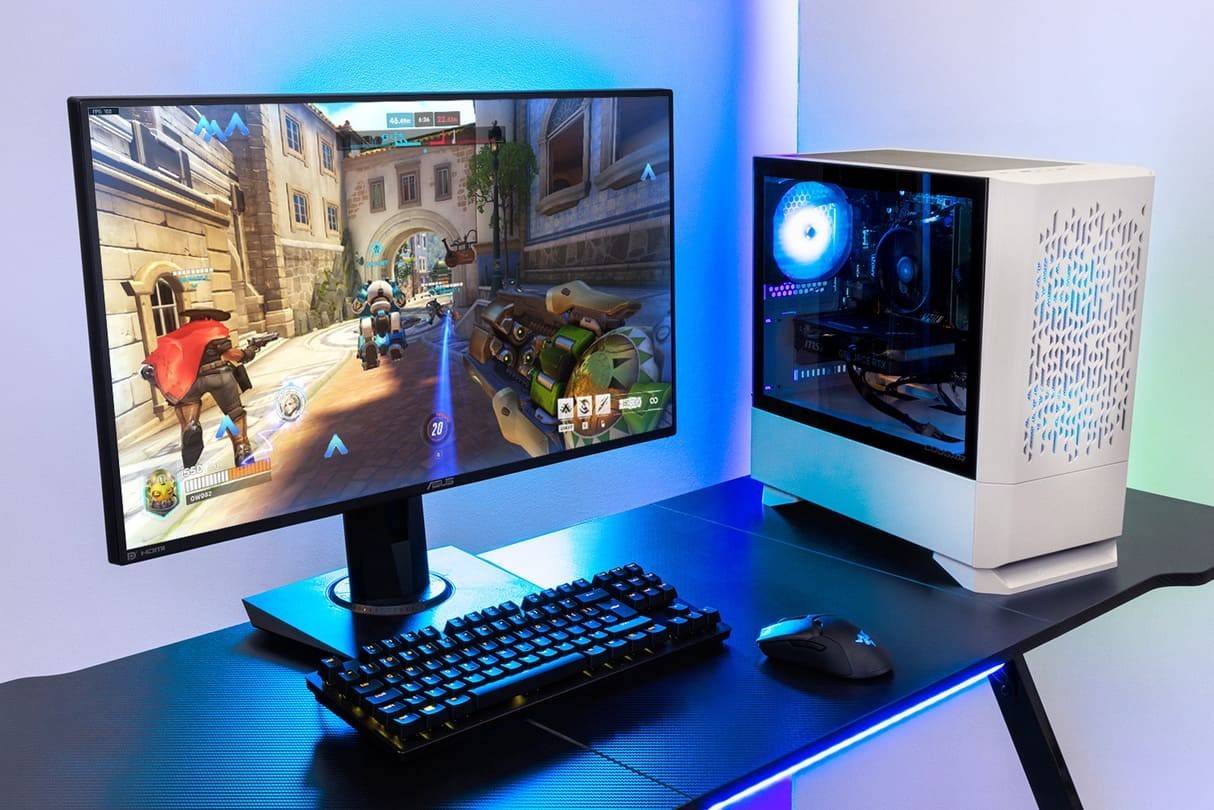 Image: stormforcegaming.co.uk
In *Overwatch 2*, the name that other players see is tied to your Battle.net account, known as your BattleTag. Here are some key points to keep in mind:
- Every player can change their BattleTag for free once.
- Subsequent name changes incur a fee, which is $10 in the U.S. Check the Battle.net Shop for the exact cost in your region.
- If you play on Xbox or PlayStation with cross-platform play enabled, follow the PC method for changing your name.
- If crossplay is disabled, you'll need to change your name through your console's settings.
Changing Your Nick on PC
If you're playing *Overwatch 2* on PC or on a console with cross-platform play enabled, here's how to change your username:
- Visit the official Battle.net website and log in to your account.
- Click on your current username in the top-right corner of the screen.
- From the menu, select "Account Settings" and scroll to the BattleTag section.
- Click the blue pencil icon labeled "Update."
- Enter your new desired name, adhering to the BattleTag Naming Policy.
- Click the "Change Your BattleTag" button to finalize the change.
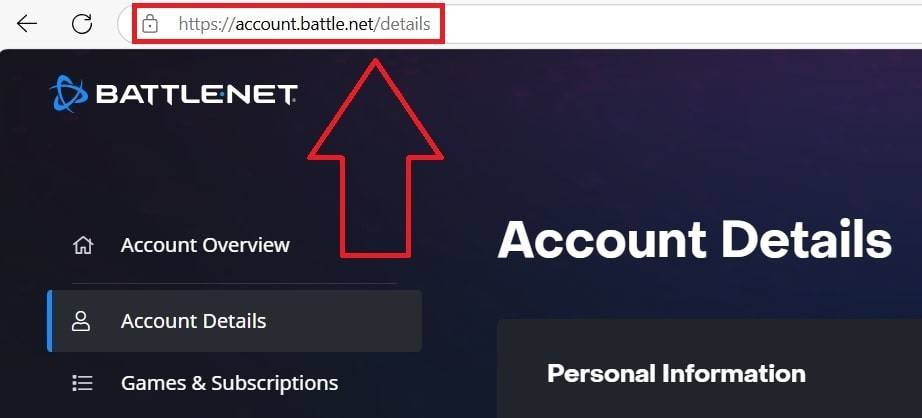 Image: ensigame.com
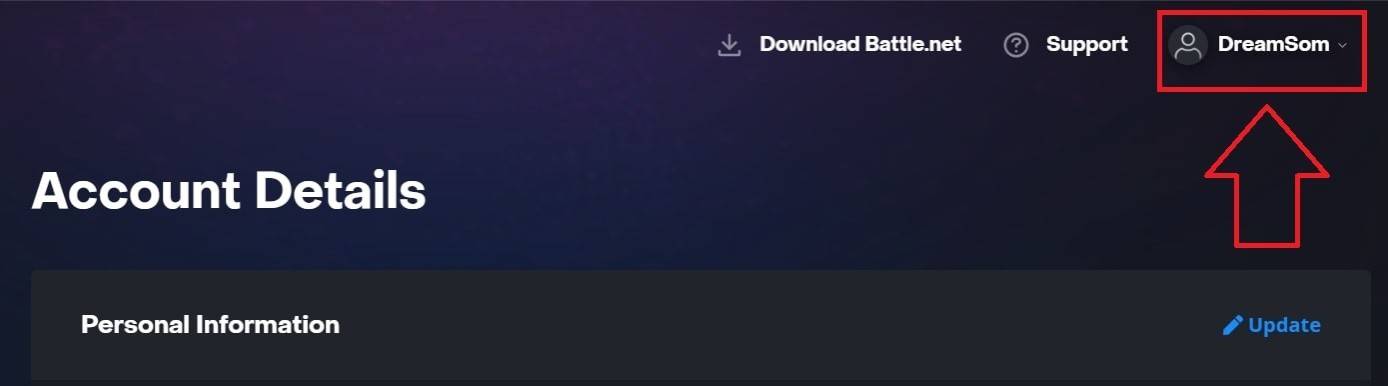 Image: ensigame.com
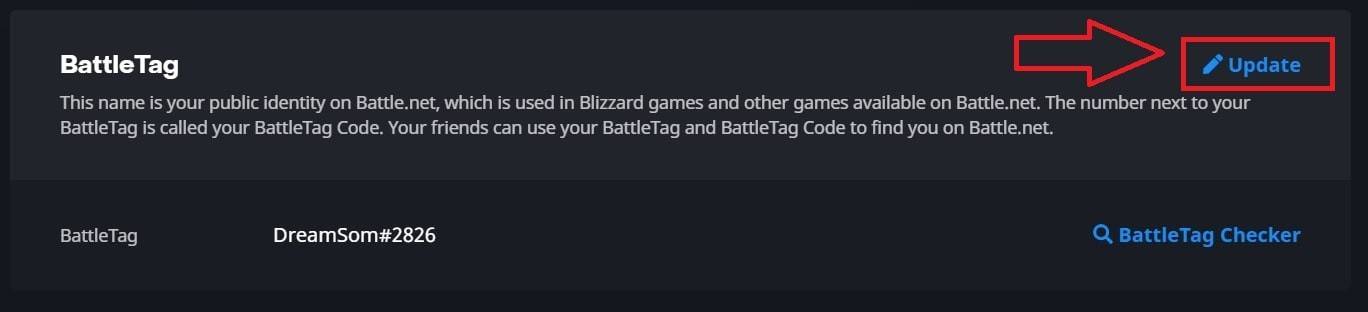 Image: ensigame.com
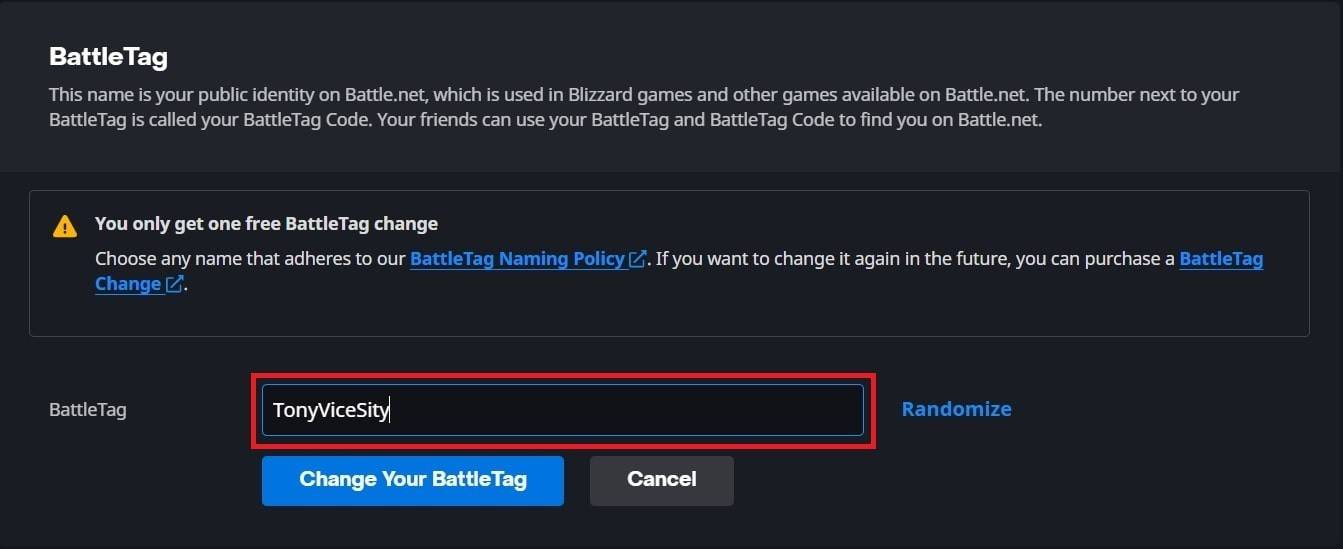 Image: ensigame.com
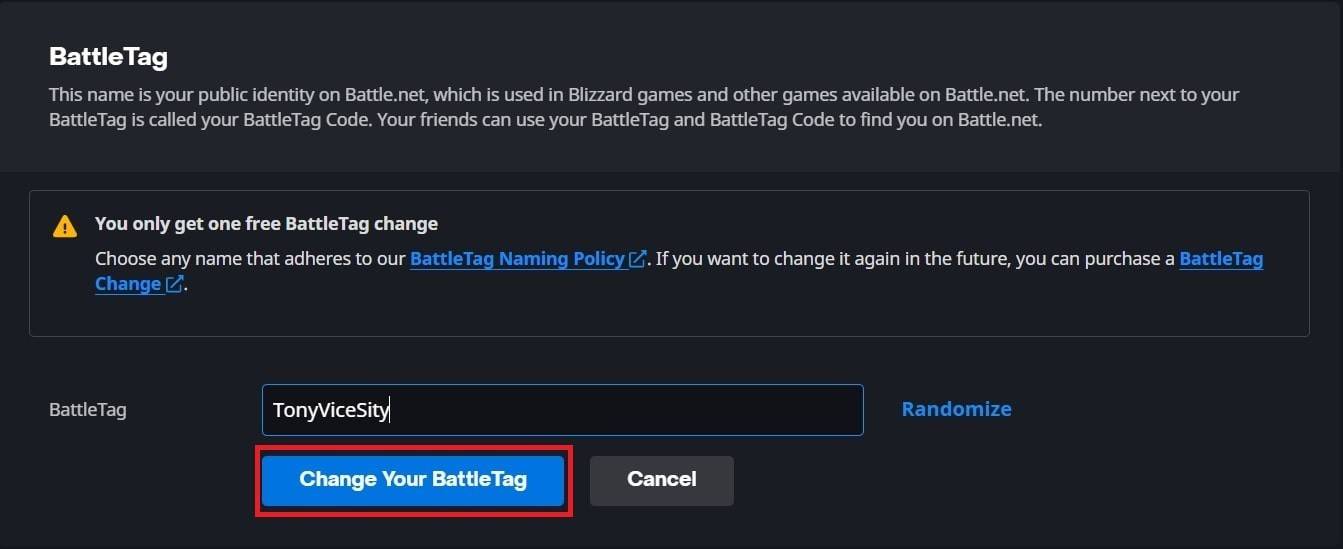 Image: ensigame.com
Your new BattleTag will be displayed across all Blizzard games, including *Overwatch 2*. Note that it may take up to 24 hours for the change to fully update.
Changing Your Name on Xbox
If you play *Overwatch 2* on Xbox with cross-platform play disabled, your in-game name will match your Xbox Gamertag. Here's how to change it:
- Press the Xbox button to open the main menu.
- Go to "Profile & System," then select your Xbox profile.
- Choose "My Profile," then click "Customize Profile."
- Click on your current Gamertag and enter your new desired name.
- Follow the on-screen instructions to confirm the name change.
 Image: dexerto.com
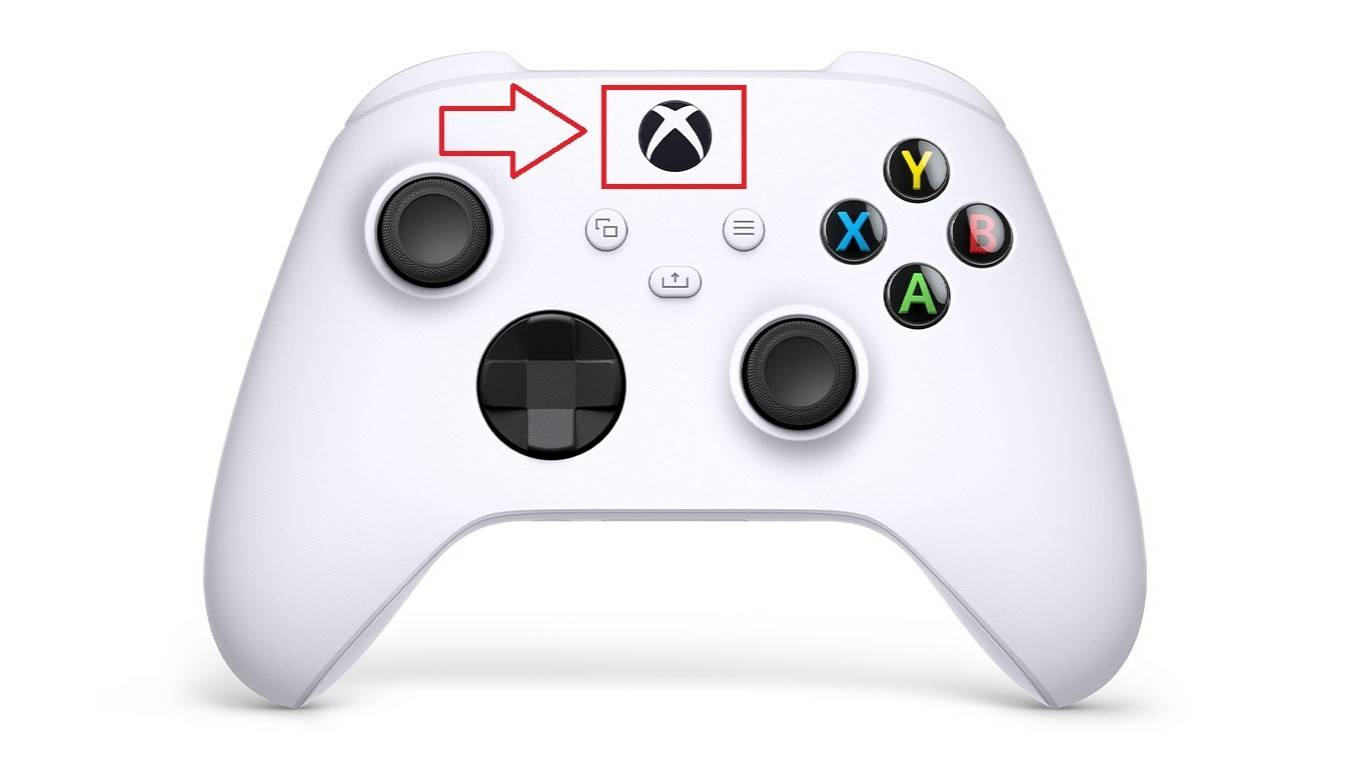 Image: xbox.com
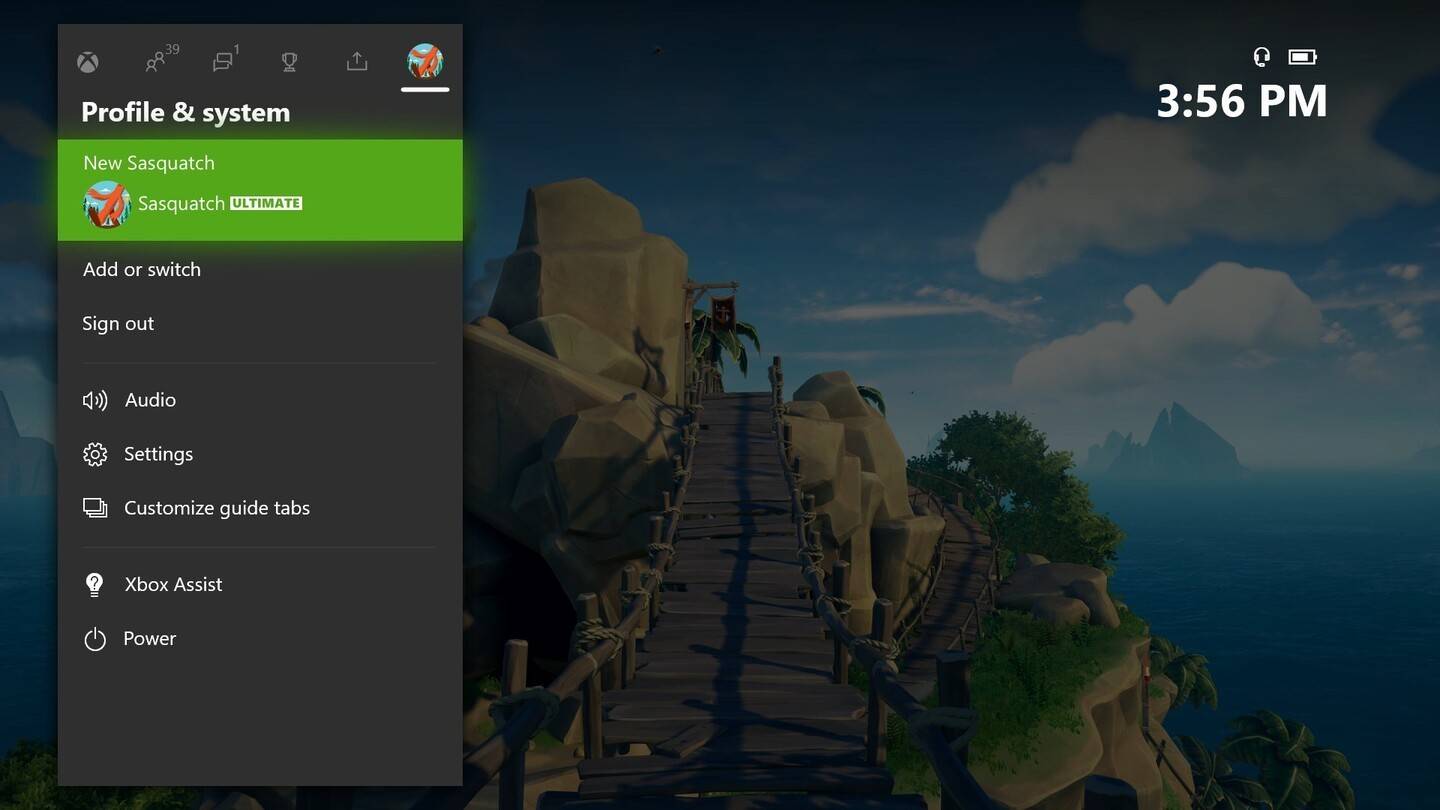 Image: news.xbox.com
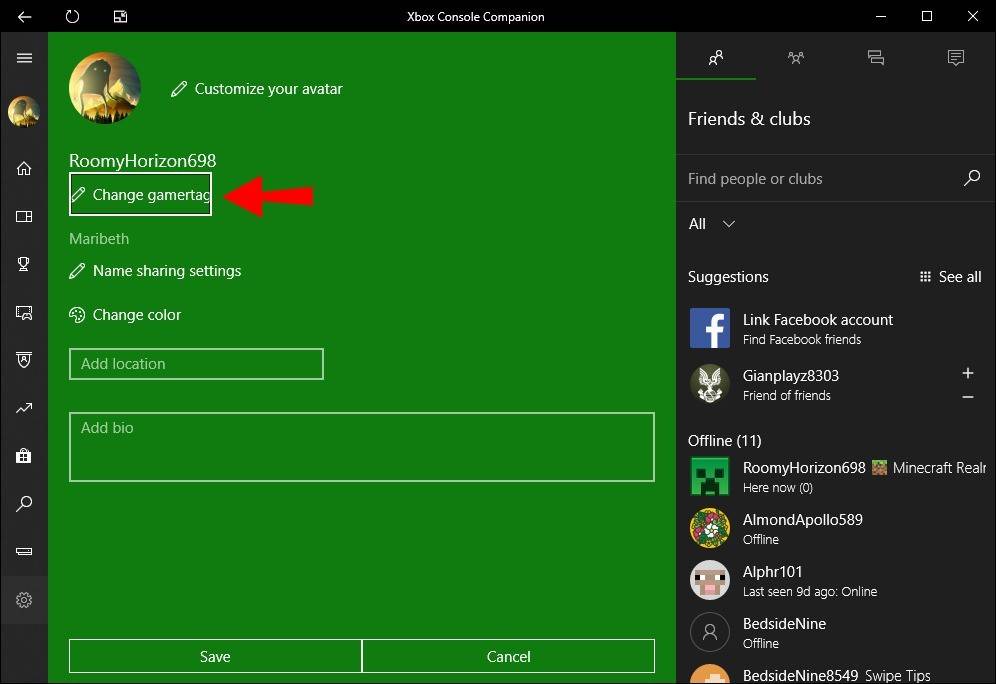 Image: alphr.com
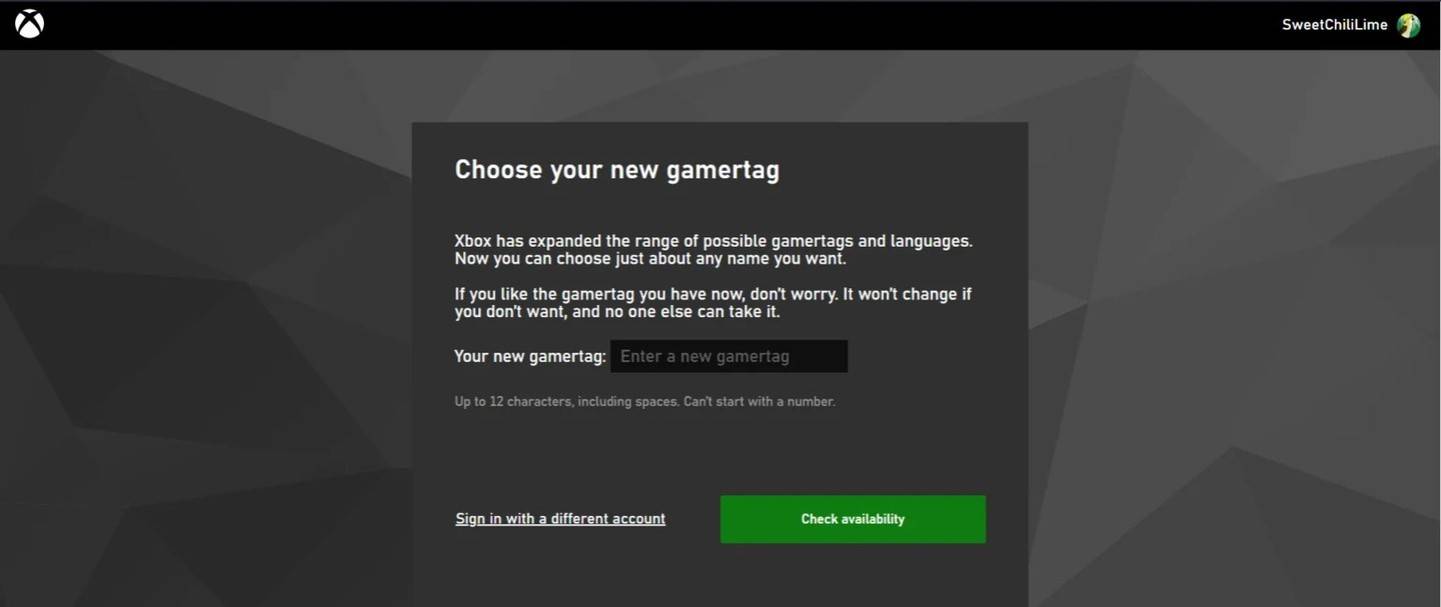 Image: androidauthority.com
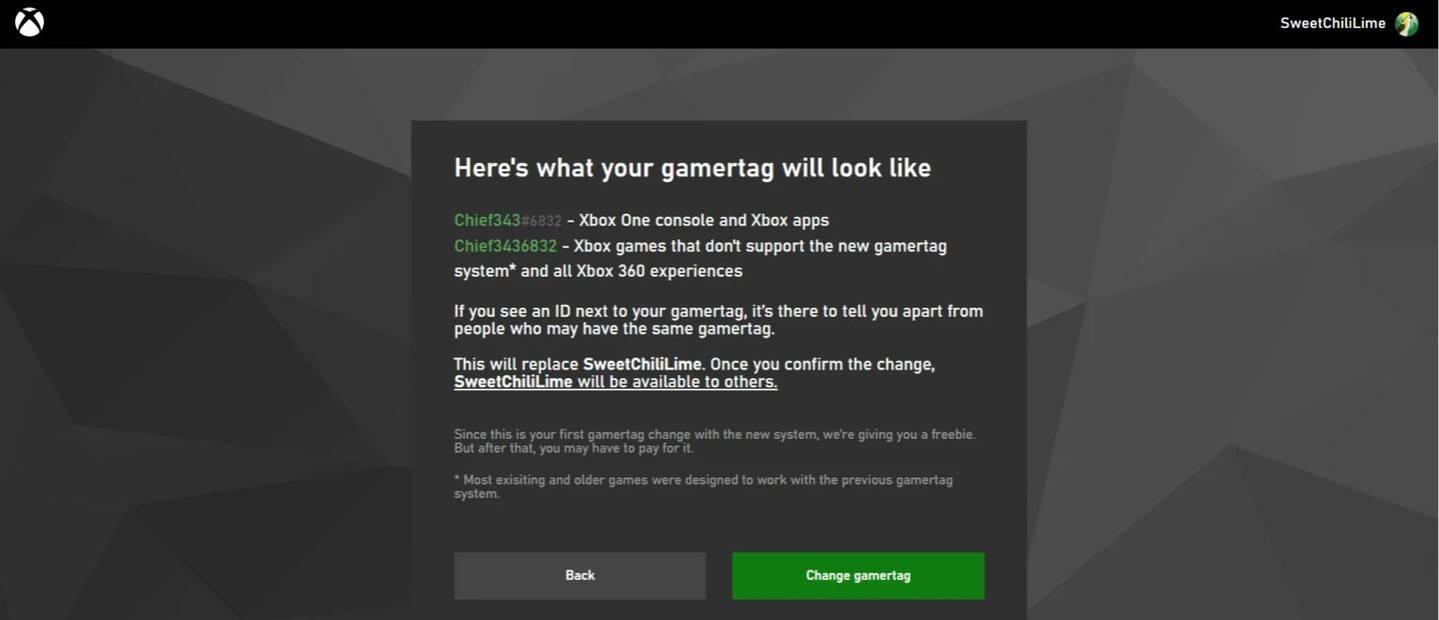 Image: androidauthority.com
Remember, if cross-platform play is disabled, your updated name will only be visible to other Xbox players who also do not use crossplay.
Changing Your Username on PlayStation
On PlayStation, players use their PSN ID instead of BattleTag. If cross-platform play is disabled, follow these steps to change your name:
- Open the main console settings and go to "Settings."
- Select "Users and Accounts."
- Go to "Accounts," then choose "Profile."
- Locate the "Online ID" field and click "Change Online ID."
- Enter your new name and confirm the changes.
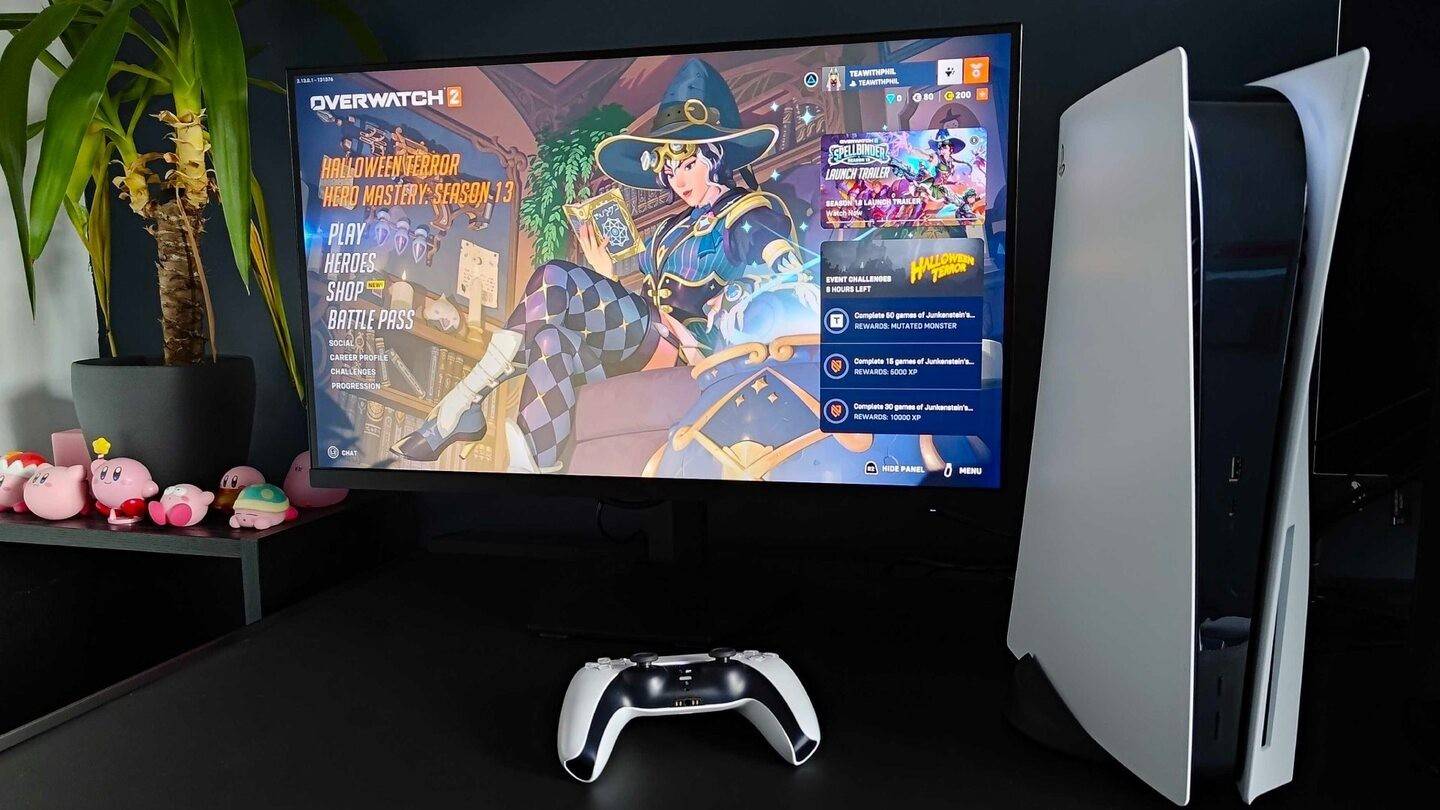 Image: inkl.com
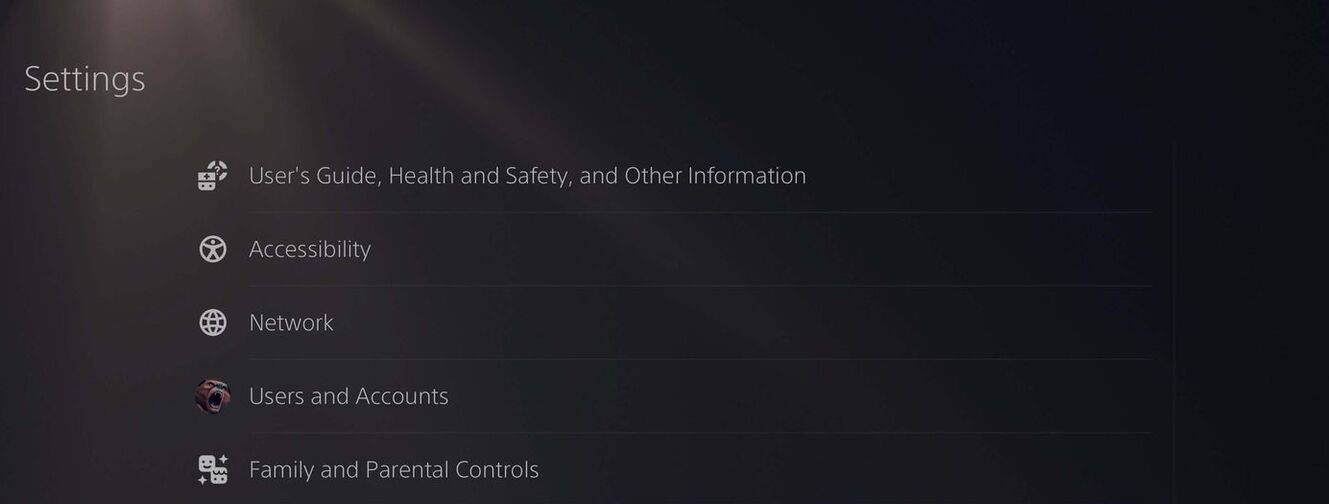 Image: androidauthority.com
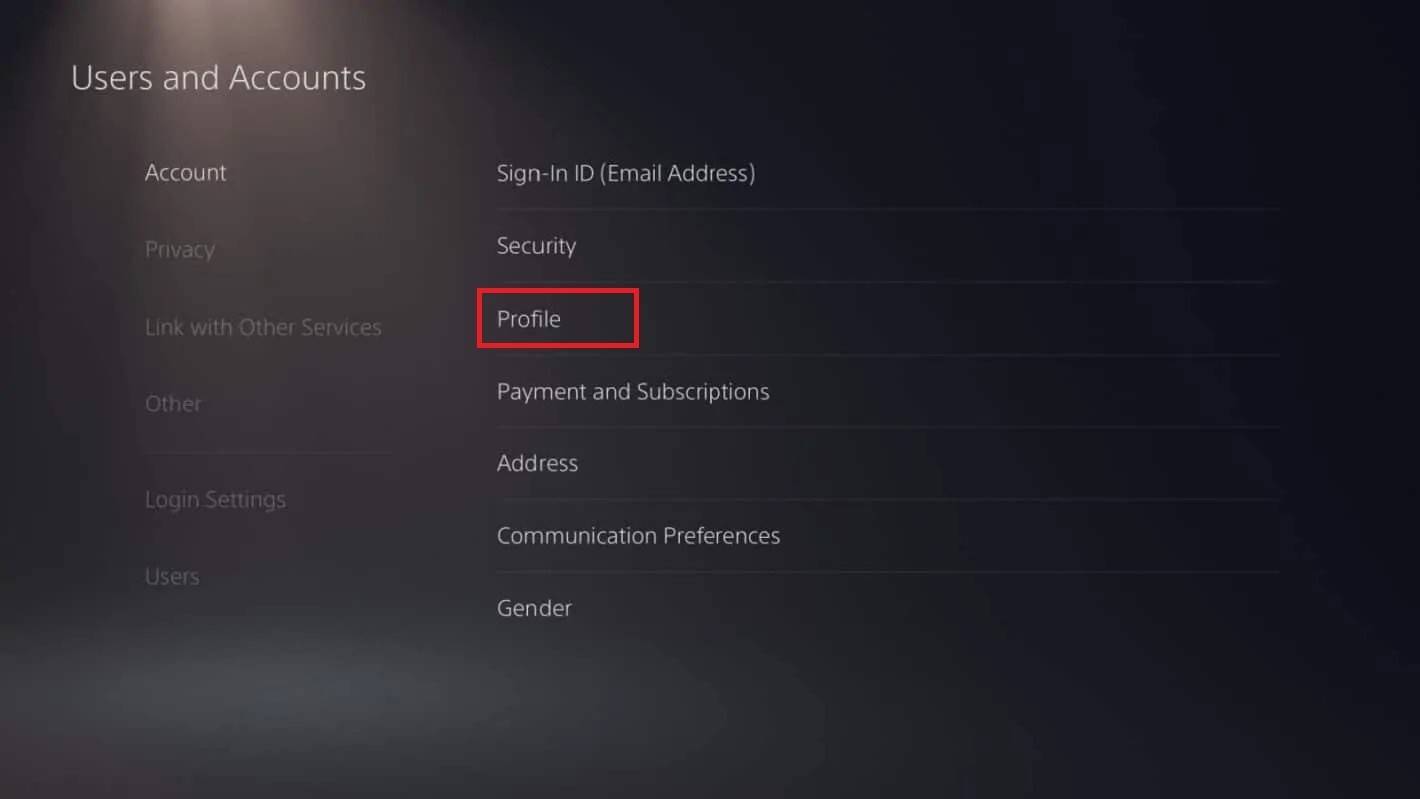 Image: androidauthority.com
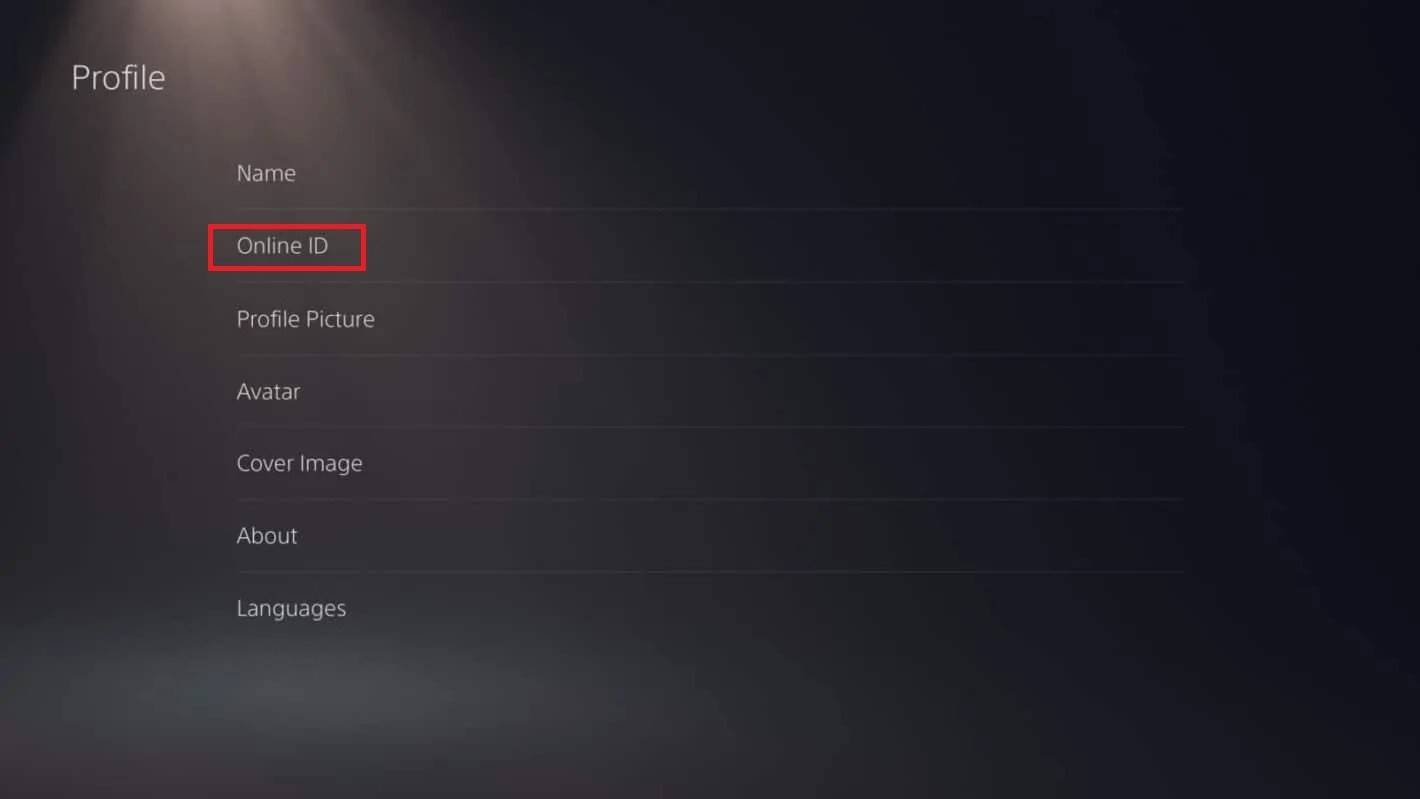 Image: androidauthority.com
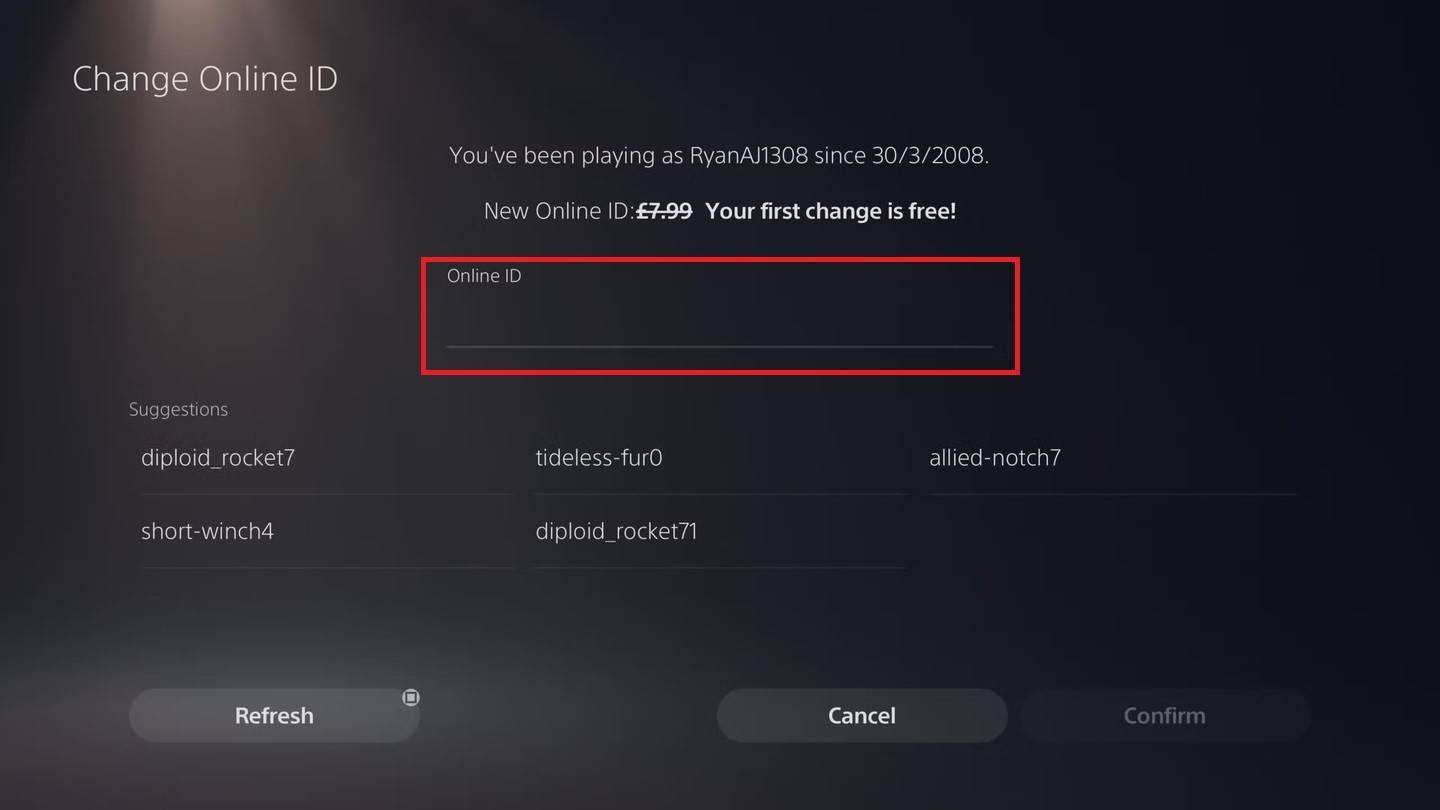 Image: androidauthority.com
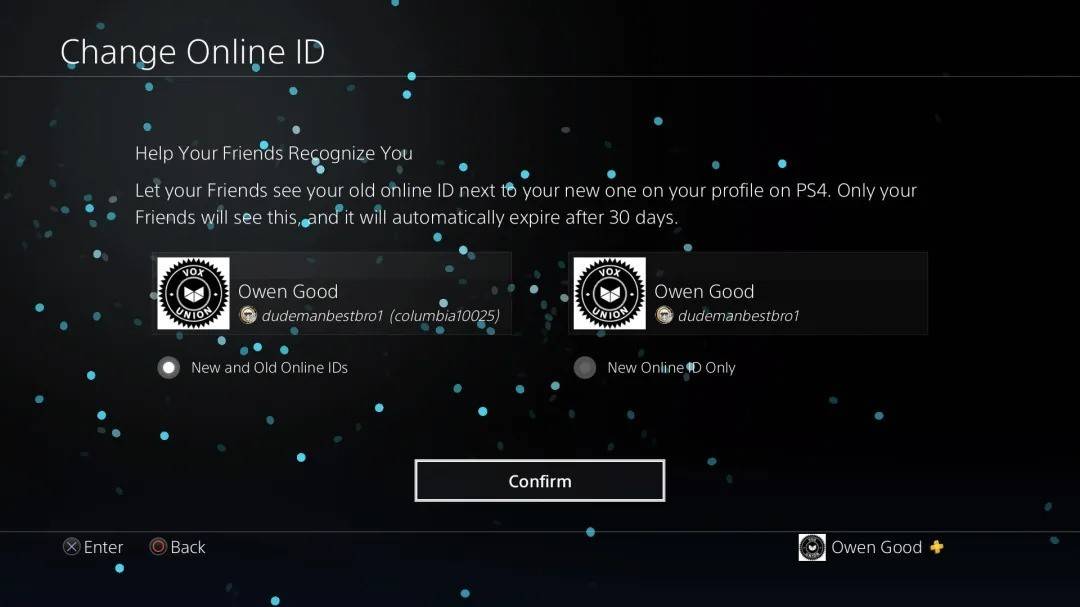 Image: androidauthority.com
As with Xbox, your new PSN ID will only be visible to other PlayStation players who also have crossplay disabled. If crossplay is enabled, your BattleTag from Battle.net will be displayed instead.
Final Recommendations
Before you change your name in *Overwatch 2*, consider the following:
- If you play on PC or a console with cross-platform play enabled, follow the PC instructions.
- If you play on Xbox without crossplay, change your name through Gamertag settings.
- If you play on PlayStation without crossplay, change your name via your PSN ID settings.
- You can change your BattleTag for free only once; subsequent changes require payment.
- Ensure your Battle.net Wallet has sufficient funds to cover any fees.
By understanding these details, you can seamlessly update your *Overwatch 2* username, ensuring it aligns with your evolving gaming identity and playstyle.























![City Devil: Restart [v0.2]](https://img.icssh.com/uploads/38/1719554737667e52b102f12.jpg)


