
Mastering the Minecraft Mob-Killing Commands: A Comprehensive Guide
There are many reasons to eliminate mobs in Minecraft, and commands offer the most efficient method. While the /kill command seems straightforward, its functionality is nuanced. This guide details how to effectively utilize it.
Prerequisites: Ensure your Minecraft world has cheats enabled. Instructions on how to enable cheats are provided below.
The /kill Command:
The basic command, /kill, will unfortunately kill your own player character. To target mobs, you need to add selectors.
To kill all mobs (excluding the player):
/kill @e[type=!minecraft:player] (@e selects all entities; type=!minecraft:player excludes the player)
To kill specific mob types (e.g., chickens):
/kill @e[type=minecraft:chicken]
Targeting mobs within a specific radius:
- Java Edition:
/kill @e[distance=..15](kills all entities within 15 blocks) - Bedrock Edition:
/kill @e[r=10](kills all entities within a radius of 10 blocks)
To target a specific mob type within a radius:
- Java Edition:
/kill @e[distance=..15,type=minecraft:sheep](kills sheep within 15 blocks) - Bedrock Edition:
/kill @e[r=10,type=minecraft:sheep](kills sheep within a radius of 10 blocks)
Command autocompletion simplifies these commands; experimentation is key to mastery.
Key Selectors:
Familiarize yourself with these essential selectors:
@p: Nearest player@r: Random player@a: All players@e: All entities@s: Yourself
Enabling Cheats/Commands:
Commands won't function without cheats enabled. Here's how to enable them:
Java Edition:
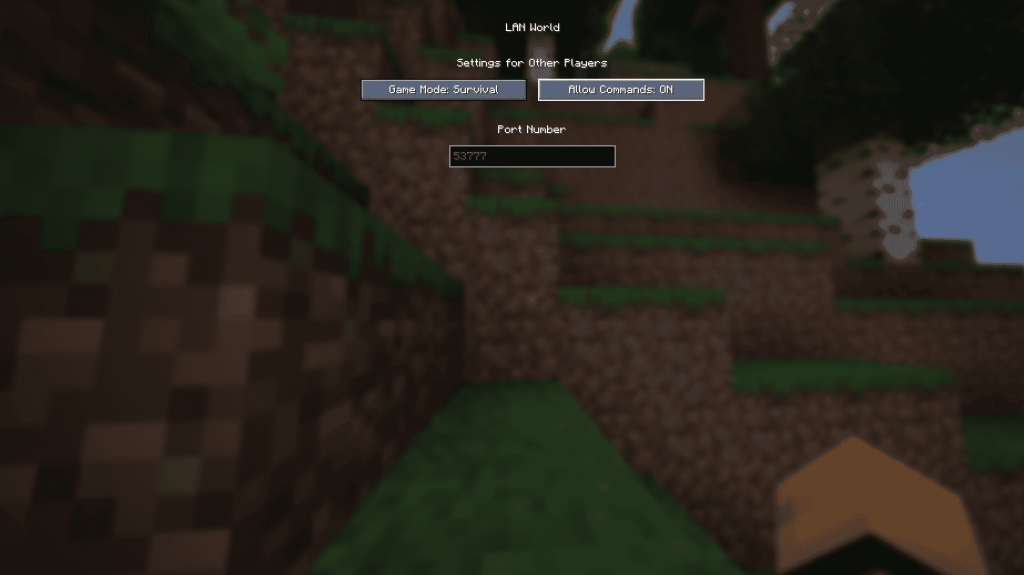
- Enter your world.
- Press Esc.
- Select "Open to LAN."
- Toggle "Allow Commands" to "On."
Note: This needs to be repeated each time you open the world. To permanently enable cheats, create a world copy with cheats enabled using the "Re-create" option in the singleplayer world menu.
Bedrock Edition:
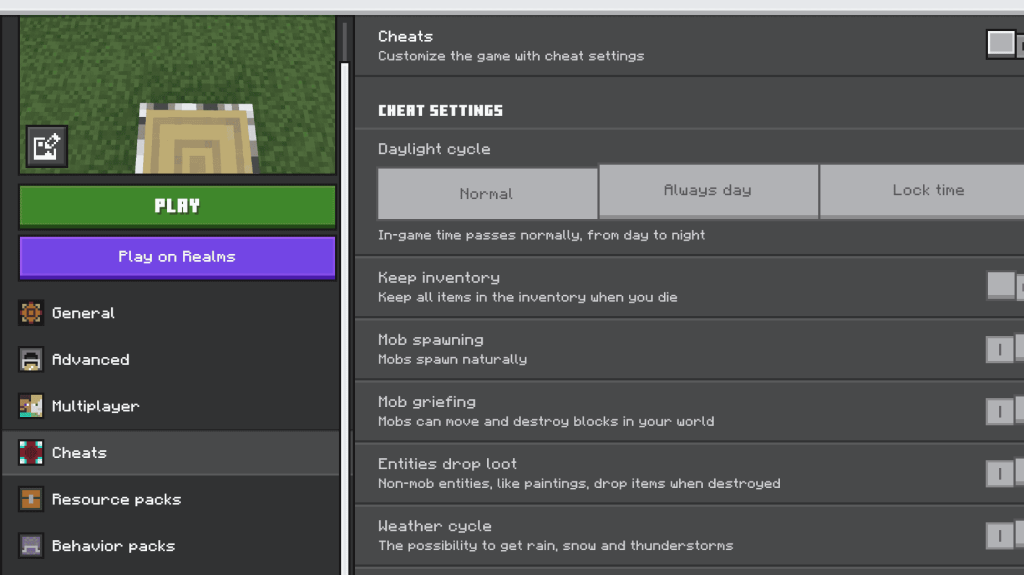
- Navigate to your worlds.
- Select the world and click the pencil icon.
- In the settings menu, toggle "Cheats" to "On."
Minecraft is available on PlayStation, Xbox, Nintendo Switch, PC, and mobile devices.






















![City Devil: Restart [v0.2]](https://img.icssh.com/uploads/38/1719554737667e52b102f12.jpg)

